 A Week From Wednesday
A Week From Wednesday
A Week From Wednesday
Write the invoice. See what you are owed. Chase what is late. A $14.99 desktop app for freelancers — Windows and macOS, one-time purchase, no subscription and no monthly anything.
One-time purchase. 14-day money-back guarantee, no reason needed. Windows 10/11 and macOS 11+.
Open it and this is what you see
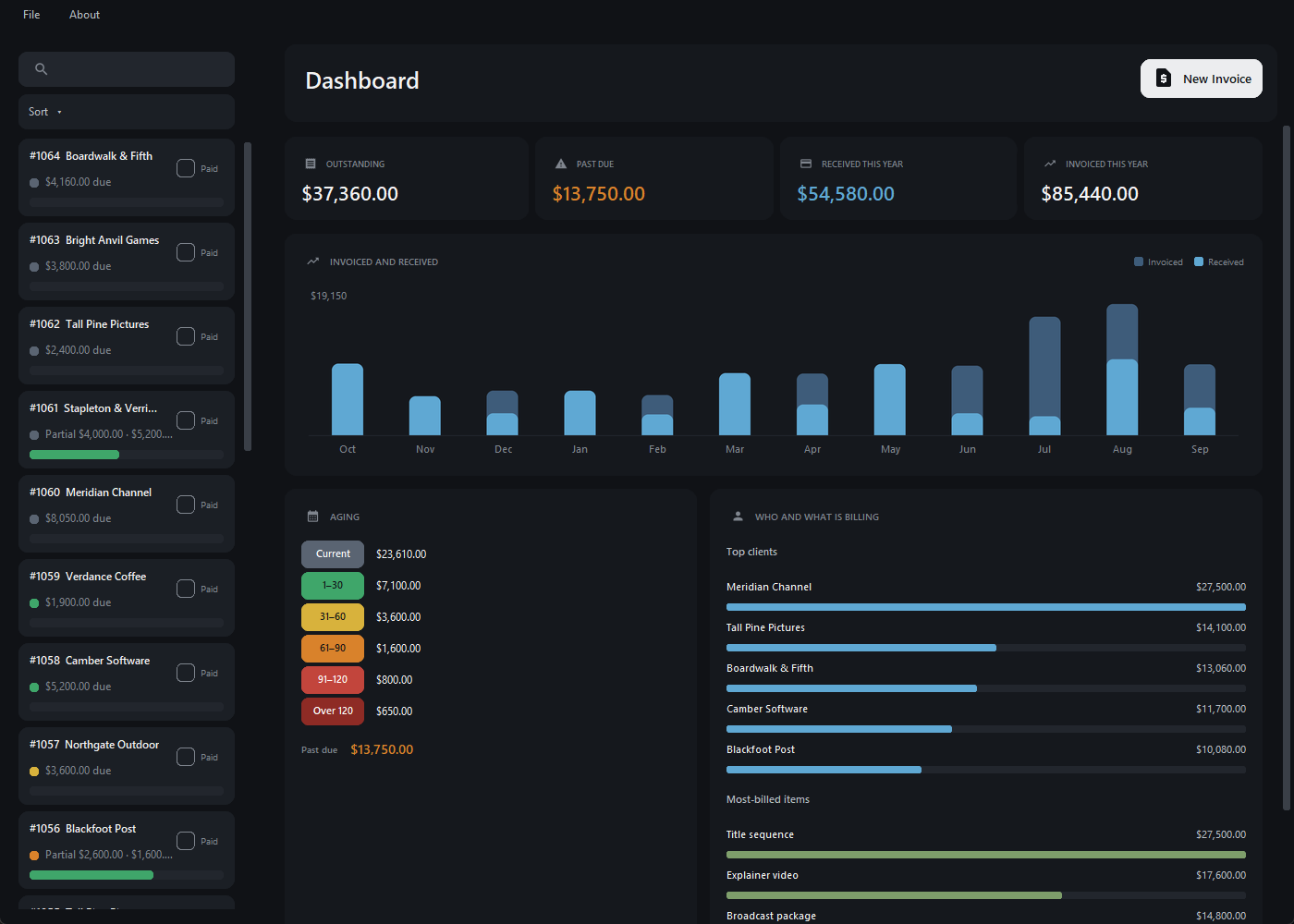
The dashboard is the first screen, and it answers the three questions you actually have: what am I owed, how late is it, and who is paying.
It runs through them on its own. Point at one to hold it.
Accounting wizards need not apply
I paid FreshBooks $20 a month for years and used maybe a tenth of it. I needed to send an invoice and know when it got paid. I was renting a full accounting suite to do two things.
So I built the two things, and then the small number of things that make those two actually work when you are running a practice on your own. The subscription I cancelled was $240 a year. This is $14.99, once.
The one job
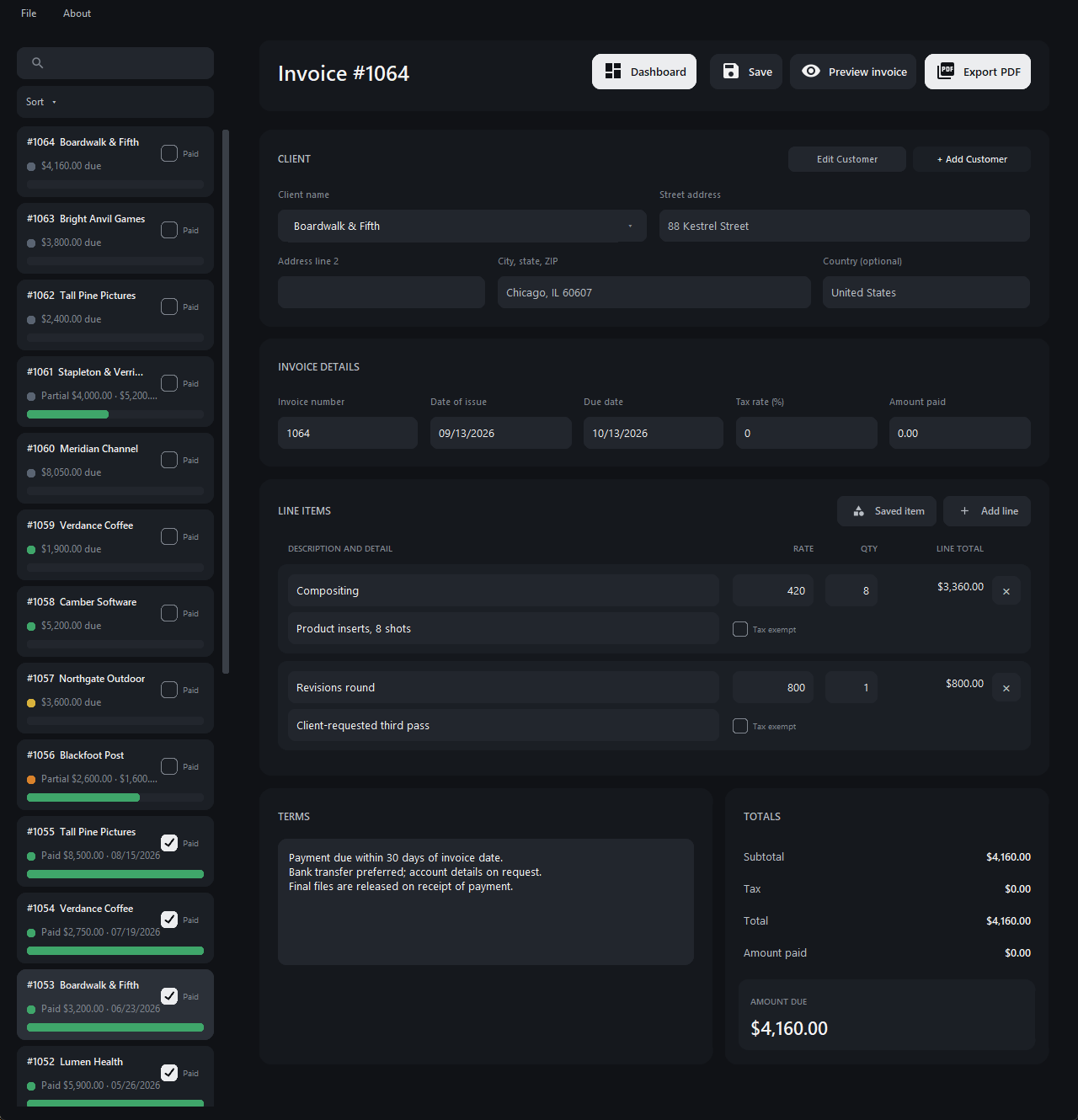
Everything else on this page exists because of this bit. It is the feature; the rest is what stops you needing a spreadsheet beside it.
It runs through them on its own. Point at one to hold it.
New
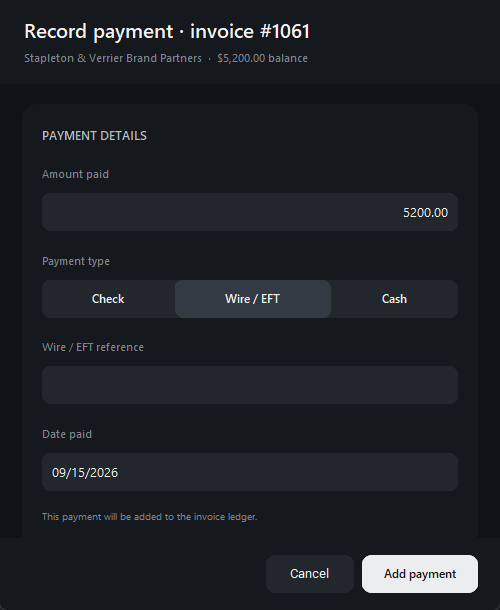
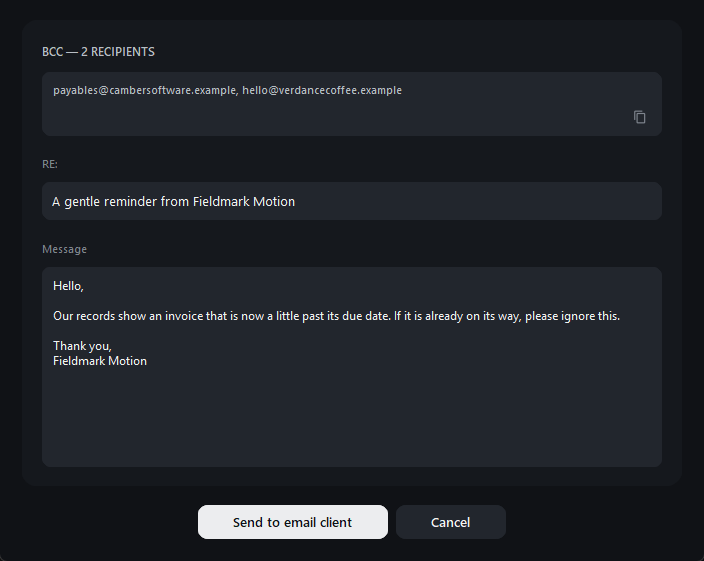
The dashboard breaks your receivables into the usual aging buckets — current, 1–30, 31–60, 61–90, 91–120, over 120 — in colours you can change. Click any bucket that has money in it and the invoice list filters to it. Then there are two buttons, which is the part that saves the afternoon:
It hands the message to your email program. It does not send mail on your behalf, and it has no access to your mailbox.
New
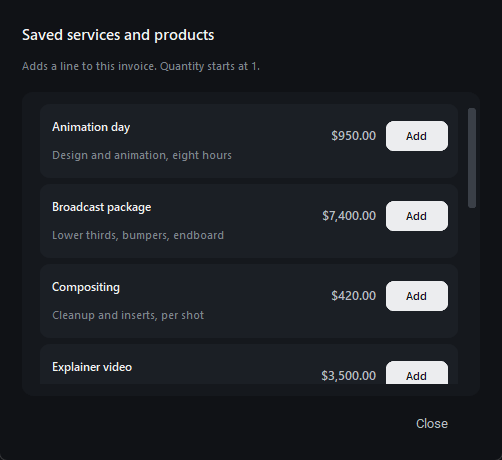
Save the services and products you sell — with their description and rate — and drop one onto an invoice as a line instead of typing it again.
The line is copied, not linked: re-pricing a saved item next year cannot rewrite an invoice you already sent.
New
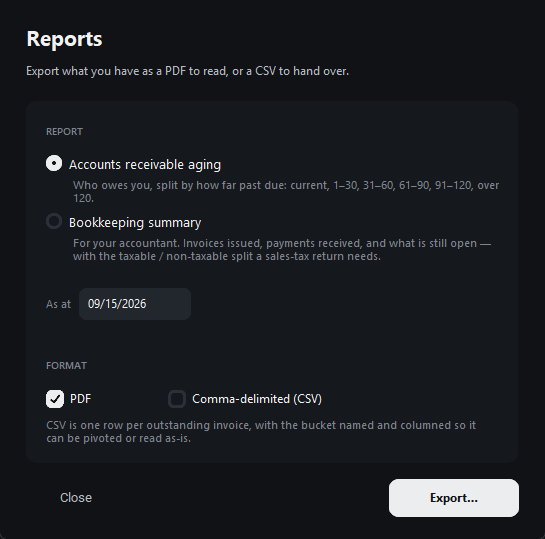
Once a year somebody wants the numbers in a form they can work with. File ▸ Reports produces two, as a PDF to read or a CSV to hand over:
The aging CSV is one row per outstanding invoice with the bucket named in its own column, so it pivots or reads as-is. The bookkeeping summary writes three files, so it asks for a folder rather than a filename.
And the whole book is one SQLite file you can copy, back up, or open with any tool that reads SQLite. Your records are not trapped in here.
Separate sets of books, each with its own numbering, customers and file on disk. Switch between them from the File menu.
Ctrl+N, Ctrl+S, Ctrl+P, Ctrl+F and the rest, listed in the app (Cmd on a Mac). Copy and paste, select-all and a right-click menu in every field — because a field that silently will not paste is infuriating.
Your payment terms and the messages you send get a red underline and right-click corrections, with an offline dictionary that knows what a retainer and an animatic are — and your own business name. Names and addresses are left alone.
Set it to daily, weekly or monthly and it keeps the last ten copies. There is a one-click backup button too.
Correcting a customer's address changes who you bill next — never what an invoice you already sent says it billed.
Drop in a logo and scale it, or set your business name as type. Either way it is on the PDF, and it is the same on every invoice.
Not an accounting app. On purpose. If you need expenses, payroll and a chart of accounts, buy an accounting package. This is for the jobs that were costing twenty dollars a month on their own.
It doesn't work out your tax for you either. You enter a rate; it applies it — with that per-line exempt toggle for mixed jobs.

The flip side of nobody having a copy of your invoices: keep a backup. There is a one-click backup button, and a scheduled one, for exactly this.

Buy it, invoice someone this afternoon, and if it is not what you wanted, ask for your money back within fourteen days. No reason needed.