Version control · Backup · Team hosting
Every commit accounted for.
Version control, backup and team hosting that run on your own machines. Real Git underneath. No cloud account, no subscription, and nothing to trust with your source code.
Keeps your history.
Real Git repositories in the standard format. Open them in any tool, now or in a decade.
Protects your work.
Every commit is copied to the disks you nominate, and the copy is verified — not assumed.
Connects your team.
Host your projects yourself. Send one image file and a collaborator is set up.

Git without the complication
Git you can speak.
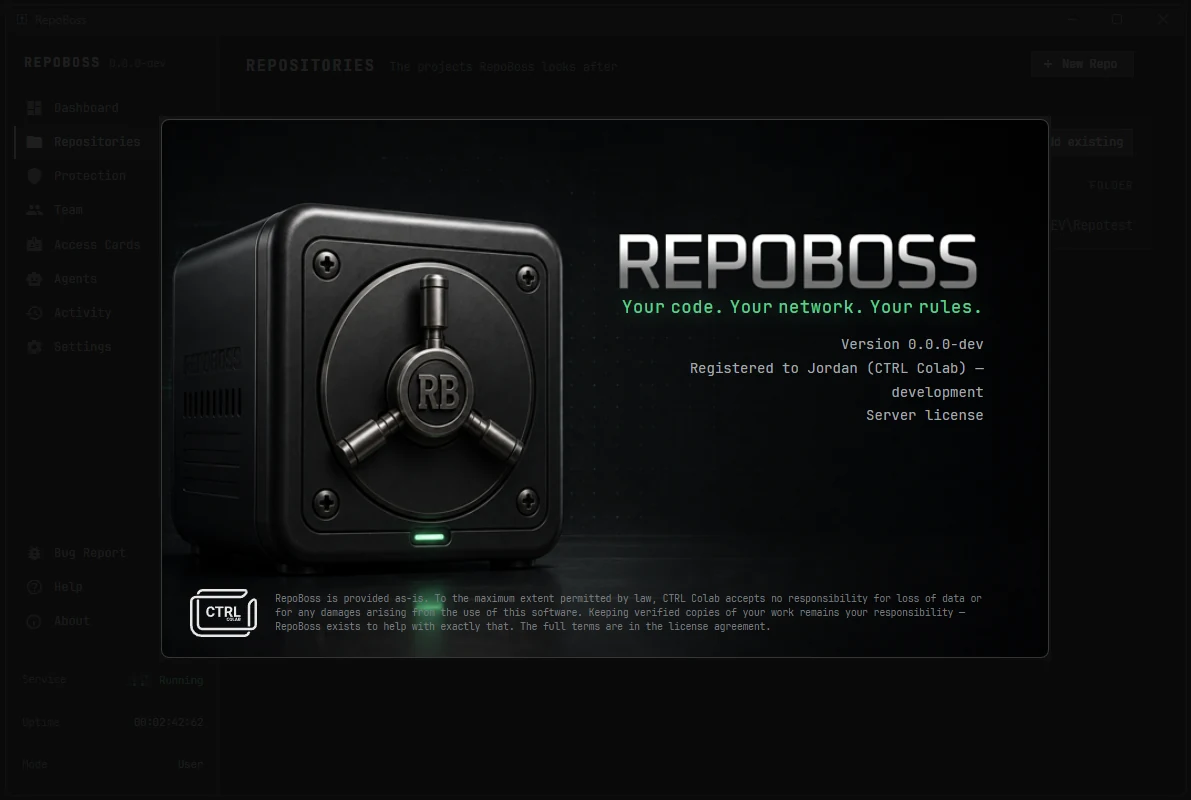
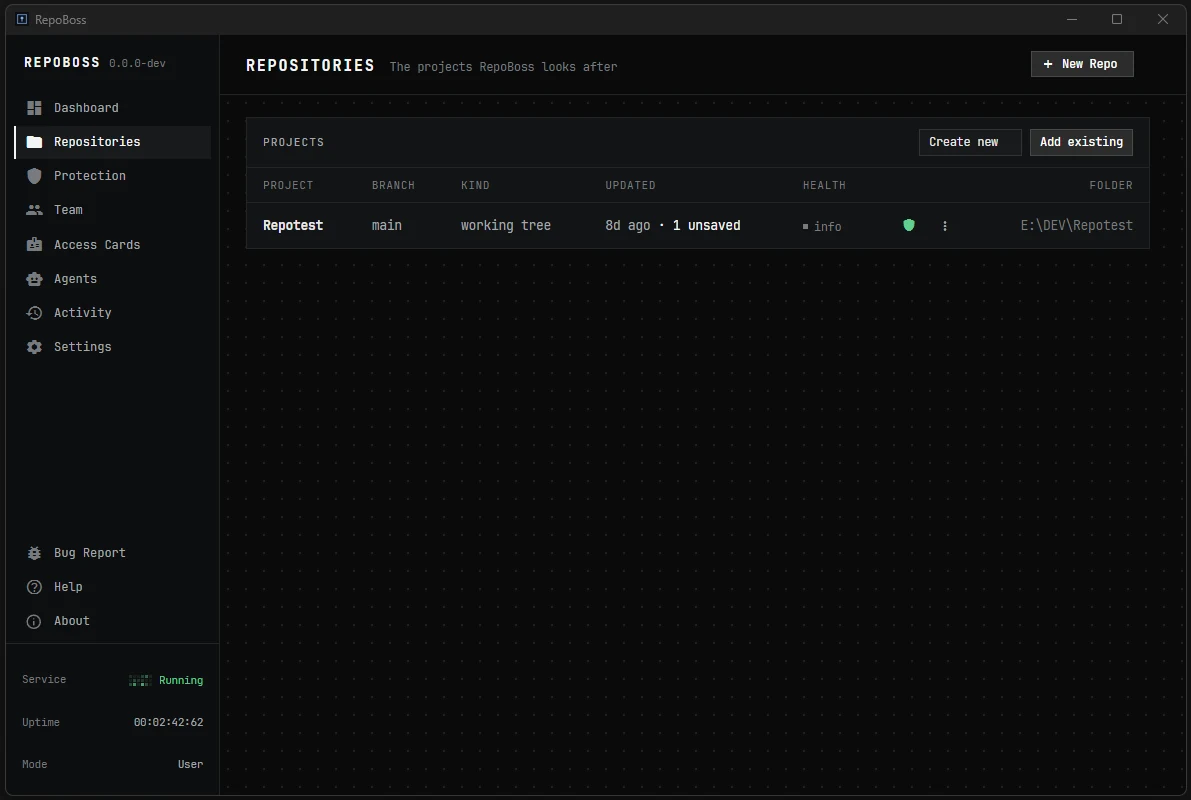
Underneath it is real Git — the same objects, the same history, the same repositories any other tool can open. On top it is a window. Repositories, protection, team, agents, activity: each of them somewhere you can point at, rather than a command you had to look up first.
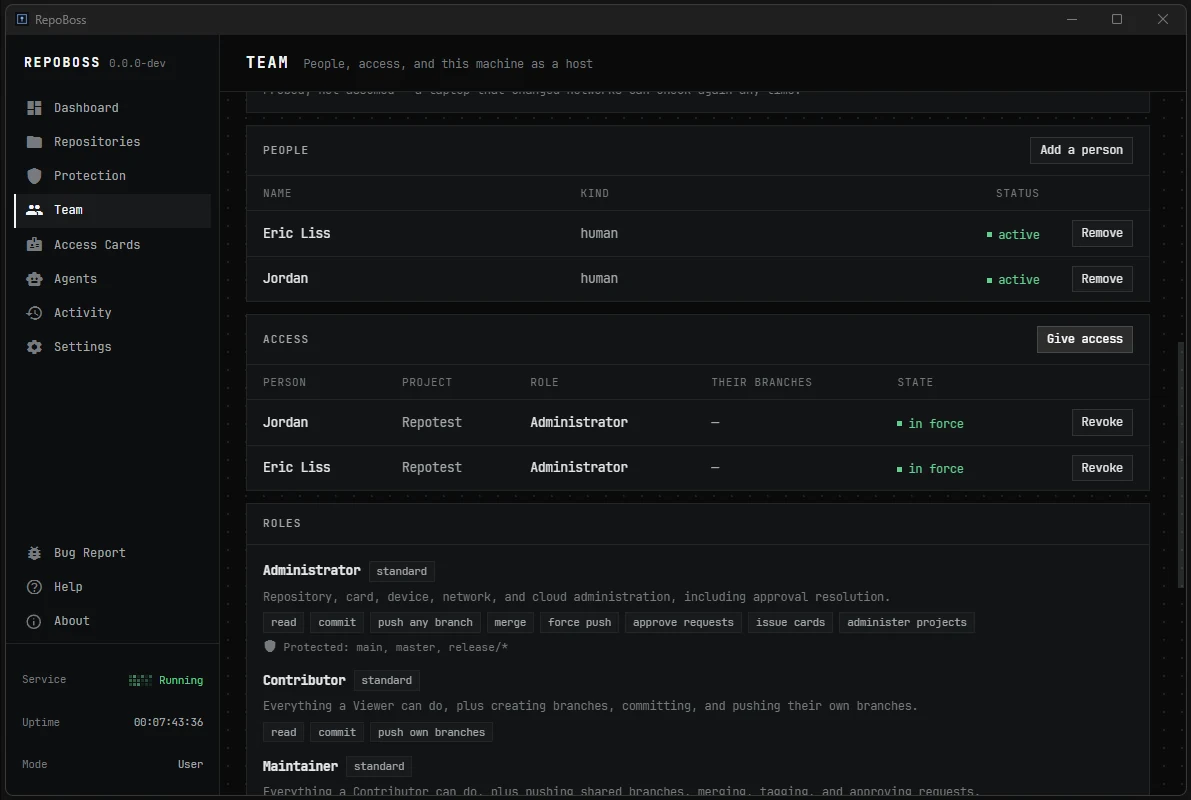
And all of it on your own machine. Commits fan out to the vaults you nominate and are verified there, and you decide what your collaborators can reach and what your agents are allowed to touch. Power, redundancy and control over your own repositories — without having to learn Git first.
Safety Vaults
Verified. Not assumed.
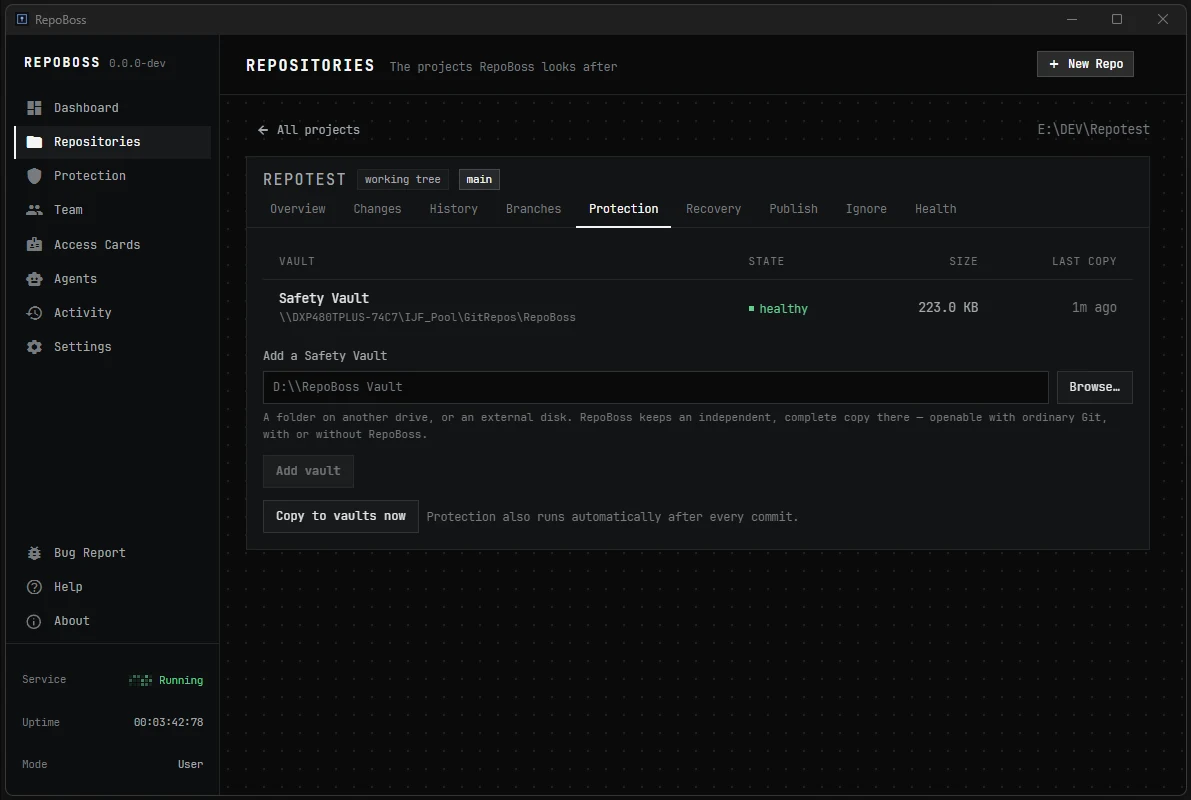
Commit, and the history is copied to drives you choose — a second disk, an external drive, a NAS folder — and verified on arrival. A vault that is unplugged queues and catches up when you reconnect.
Nothing else on the market pairs this with version control.

Access Cards
Send a digital access card. They are set up.
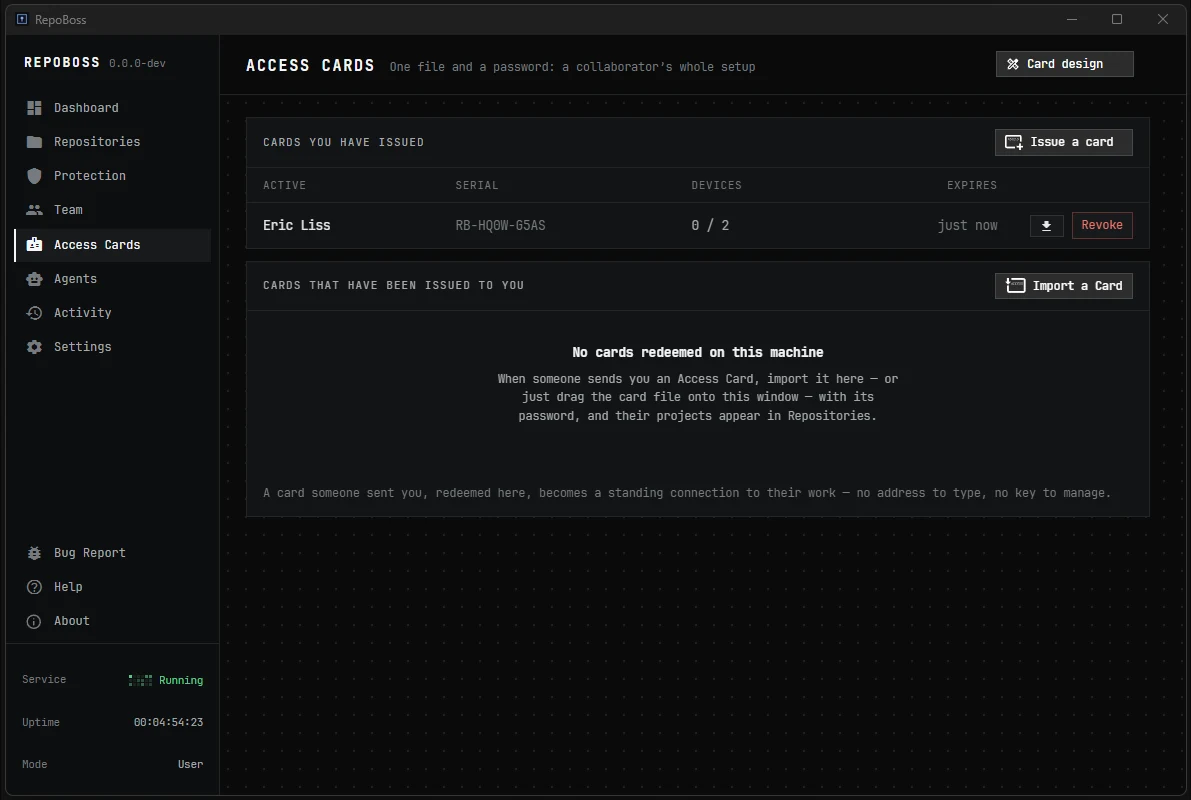
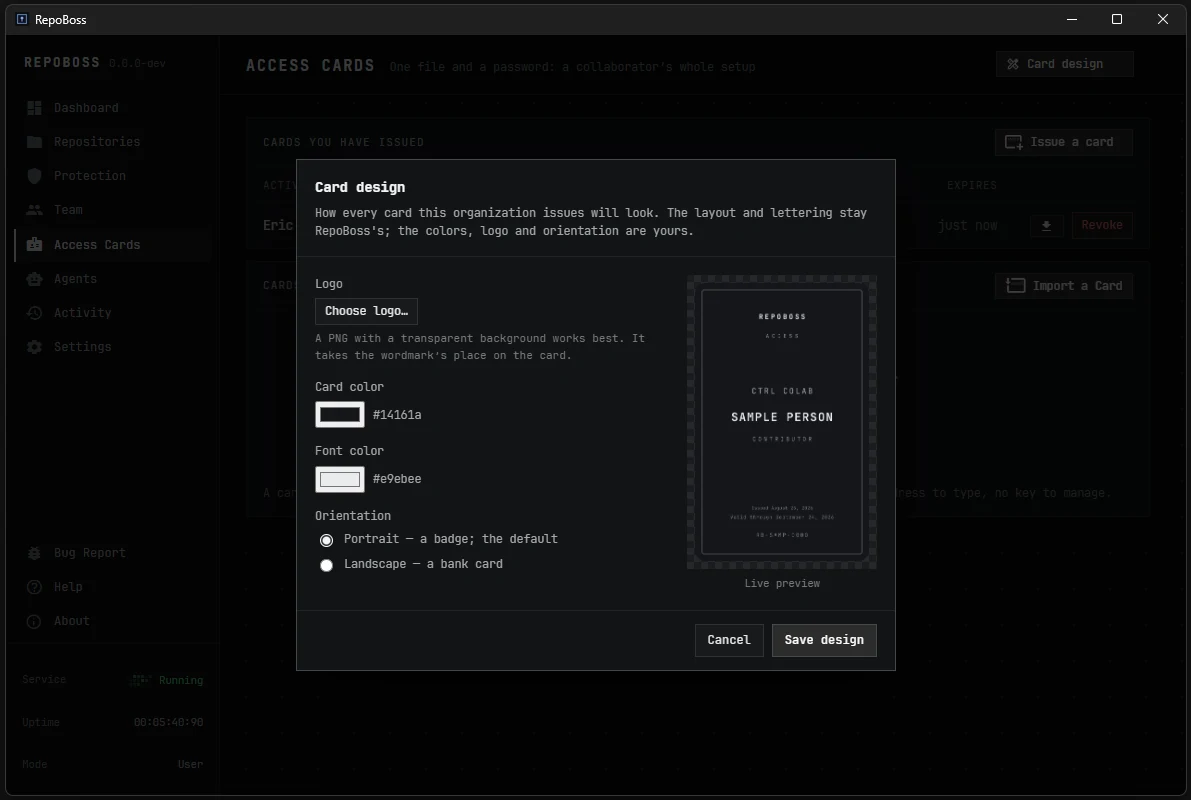
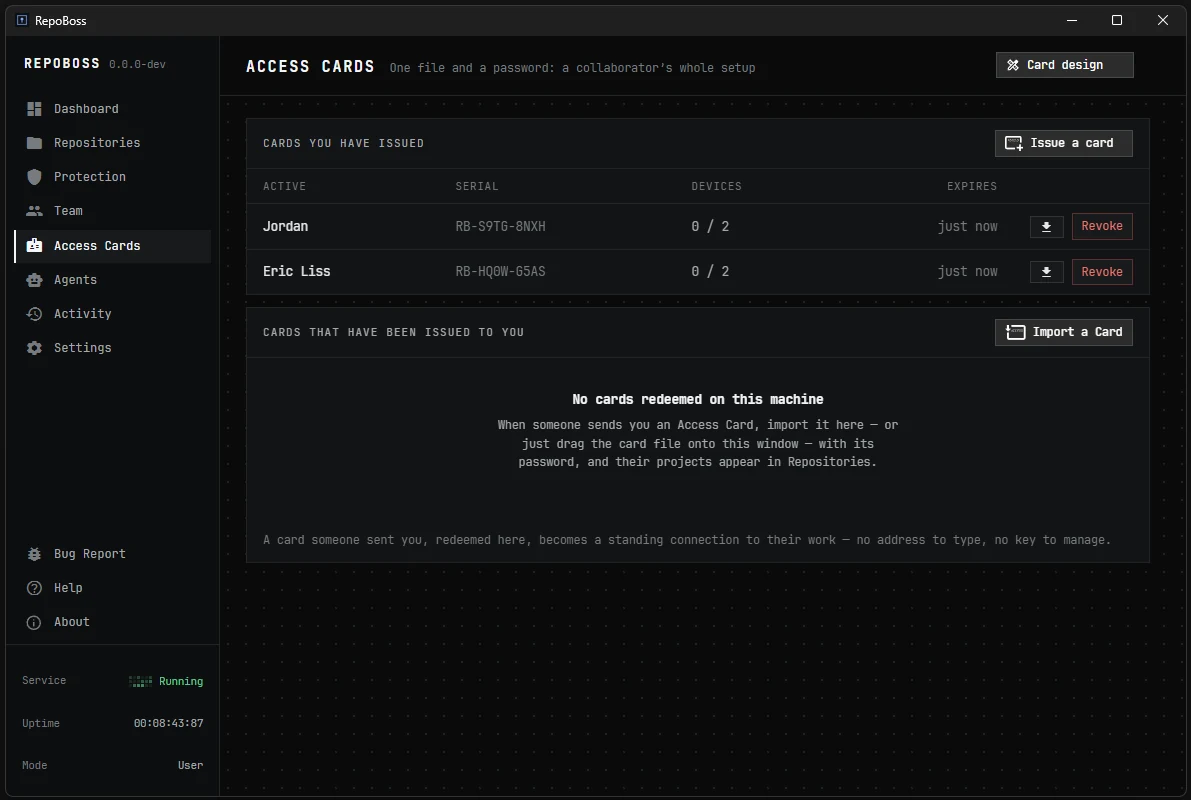
Onboarding is a digital image file — a PNG with cryptographic data embedded in it. You issue a card and send it through Slack, email or a message. Your collaborator imports it and is connected — no URLs, no keys, no config.
A card is tied to the account it opens, so the access it grants can be changed or switched off at any time.
Hosting & reachability
Self-hosting without the sysadmin work. Across the office or the world.
Your machine serves your projects to your team, and RepoBoss handles the hard part — being reachable. Three ways, cheapest first, stopping at the first that works — and not one of them needs a static IP.
01
Direct
A LAN, the office, a VPN you already run, an address you already have. Nothing to set up.
02
Automatic router setup
Behind a home router, RepoBoss asks it to open a port — no admin page, no port-forwarding form to fill in.
03
Reverse tunnel
Where a router refuses, your machine dials out instead and holds the line open. Connections arrive down the line it already opened.
Outbound always crosses a home router, so an address that changes every week, a connection behind carrier-grade NAT and a locked-down office network are all reached the same way. The relay in the third case is yours — a cheap VPS, an office box, a machine at a colleague’s — carrying only ciphertext it cannot read. We run none of it, and there is no account with us either way.
Redundancy
All of the Git — none of the quit.
Nominate the drives and RepoBoss keeps them fed. A second internal disk, an external you plug in on Fridays, a folder on the NAS — every commit is copied to each of them as it happens, and checked once it lands.
Nothing to schedule.
No cron job, no backup product, no script you have to remember you wrote. It runs because the repository exists.
A drive that is away keeps its place.
Unplug it, take it home, bring it back on Monday. The queue waited, and it catches up on its own.
Included, not an upsell.
It is part of the licence you already bought. There is no tier above this one to be moved onto later.
AI agents
Agents work under supervision.
Agents get explicit, bounded permissions and an approval step for anything consequential. Your repositories don’t take orders from software you haven’t cleared.
What it does not do.
RepoBoss is not a cloud service and has no account system. It does not upload your work anywhere you did not configure. It does not replace Git — it drives the real thing. And it protects committed history: files you have never saved into a project are not backed up by it, and the app never claims otherwise.
Get started
Git has never been easier.
Buy once, install it on the machine that will hold the work, and point RepoBoss at a project. After that it is choosing which drives get a copy, and who gets a card.
-
01
Buy it, install it.
Windows 10 & 11 or macOS. One purchase, no account to create on the way in.
-
02
Add a project.
It becomes a real Git repository in the standard on-disk format — openable by any other Git tool from that moment on.
-
03
Nominate your vaults.
Pick the drives that should hold a copy. Every commit goes to each of them and is checked once it lands.
-
04
Issue a card.
One PNG per collaborator. They import it and they are connected, and you can change or withdraw that access at any time.
Pricing
Buy it once. Run it yourself.
Both editions are the same software — the difference is how many people you can bring with you. No renewal, no per-seat billing, no upgrade treadmill.
Questions
Do I need a server or an account?
No. Your own machine hosts your projects, and there is no account system. The only thing RepoBoss ever sends us is a licence check.
What if RepoBoss disappeared tomorrow?
Every project is a real Git repository in the standard on-disk format. Any other Git tool can open your work, today or in ten years.
Is my code ever uploaded anywhere?
Only to machines you configure. Even relay traffic is encrypted end-to-end — the relay carries ciphertext it cannot read.
Can I still publish to GitHub?
Yes — when you decide, not automatically.
Is there a command line?
A full CLI, plus a Git credential helper.